
Invisible to screen share
Stays hidden from Zoom, Meet, Teams, and screenshot tools during screen sharing.
Codegnito listens to your interview, sees your screen, and gives you the best answer in your own style — just set up your profile to tell it exactly what you want.
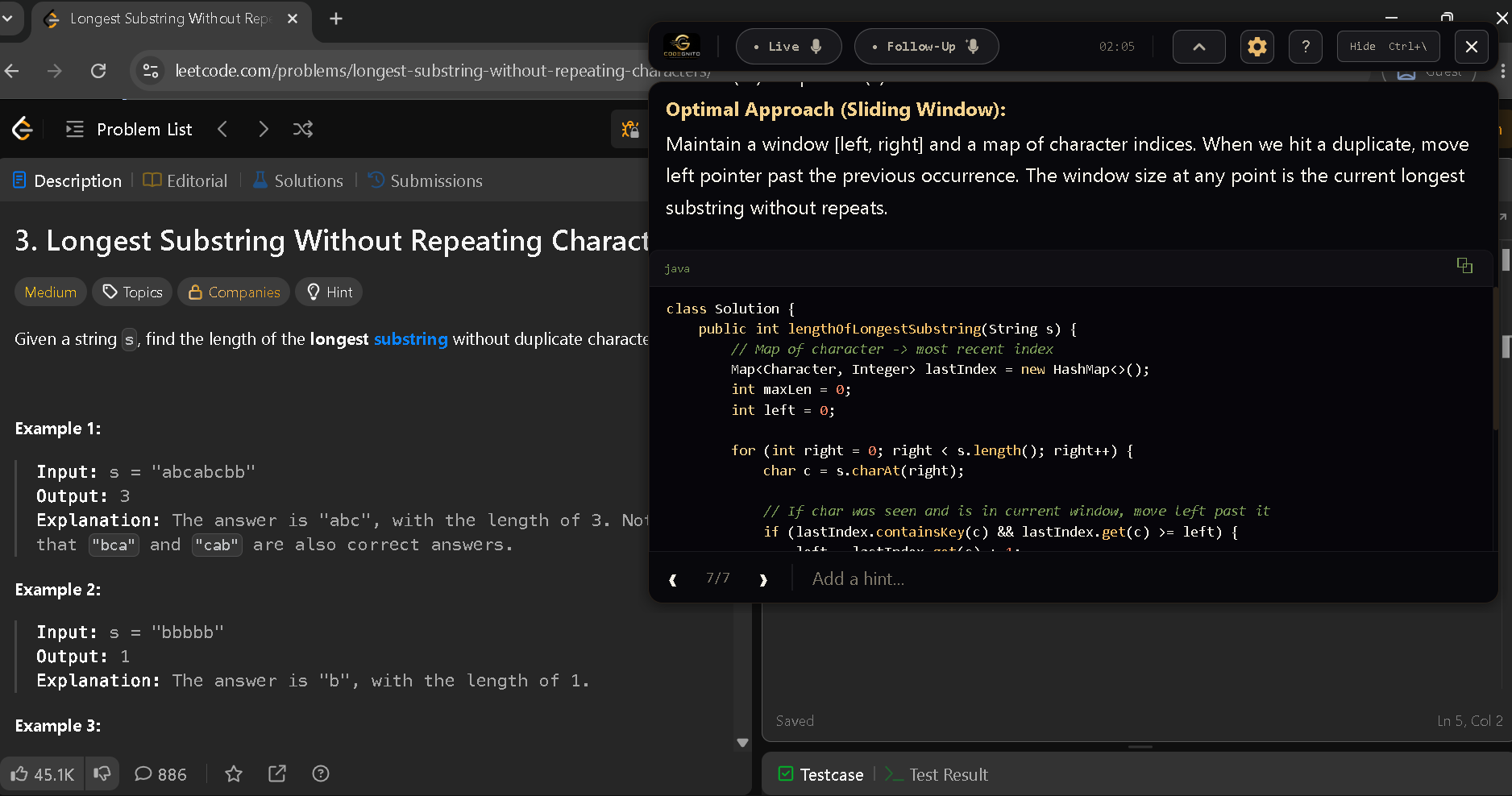
Excluded from screen capture · Works with Zoom, Google Meet, Microsoft Teams and many more.. · Full Privacy : No data stored on our servers
Powered by frontier models — reads the question, picks the strongest answer, and delivers it with confidence.
Sub-second speech-to-text — every question is captured the moment it is asked, and screenshots are answered in seconds.
Customize responses to match your code and communication style — tone, depth, structure, and coding preferences included.
Invisible to Zoom, Meet, Teams, Webex and Slack during screen share — your interviewer sees nothing of Codegnito on your screen.
Codegnito works seamlessly across Zoom, Teams, Google Meet, Slack, and more — no complicated setup required.
Plus any other app that uses the standard Windows capture pipeline — OBS, Skype, GoTo, Whereby, BlueJeans, Slack Huddles.
Everything you need to think on your feet, nothing that gets in the way.
Stays hidden from Zoom, Meet, Teams, and screenshot tools during screen sharing.
Real-time speech-to-text, streamed directly from your audio.
Sees your screen, hears the question, and produces the best answer — powered by advanced AI.
Remembers earlier turns and handles follow-ups automatically — presets for Software, ML, SRE, Data, even Chartered Accountancy, or define your own style.
Show, hide, move, resize without touching the mouse. Stays out of your way.
10 themes, configurable opacity, language packs — English variants, Hindi, Tamil, Telugu, Kannada, Malayalam, Bengali, Spanish, French, Mandarin, Japanese, and more.
Download the Windows installer in under a minute.
Paste your activation key — or start the free trial with 10 AI calls, no card.
Codegnito floats above your meeting, hidden from screen-share.
Take a screenshot, or tap a hotkey to start live transcription.
A clean, tailored answer streams into the overlay in seconds.
Trigger Codegnito without touching your mouse. Every shortcut is fully customisable in settings.
…and many more — explore in Settings → Hotkeys.
Simple pricing, no surprises.
We reply in minutes during business hours.
~341 MB · Windows installer
macOS · Linux — coming soon
Real feedback from developers who shipped Codegnito in their last loop.
"The invisible overlay made technical interviews stress-free, even during screen sharing sessions."
"My favorite feature is Follow-Up Mode, delivering real-time assistance by understanding the screen and discussion."
"The hotkeys are gold. Ctrl+/ and a clean answer streams in. I tested it on Zoom share — colleagues couldn't see the overlay even when looking for it."
"The best part is customizing response guidelines, so every answer feels natural and familia"
"The responses felt natural because I could customize how the AI answered questions."
"₹2,500 a month is nothing compared to landing a senior offer. Paid it back in one signing bonus. The screenshot analysis is uncannily good at parsing SQL questions."
"The way it broke down LeetCode questions step by step, including brute force, optimized solutions, and code explanations, felt incredibly useful.."
"Tested this on a 1-hour coding panel. The transcript caught technical jargon I would've otherwise missed and gave me bullet-pointed answers in seconds."
"Used it through a 5-round on-site loop. Live mode keeps the answer flowing while you maintain eye contact. Hit my OE expectations on the first try."
"Kubernetes interviews used to be difficult for me. It helped me quickly recall real configs and answer confidently.."
Codegnito combines AI-powered mock interviews, live interview assistance, and personalized feedback into one seamless platform. From practicing real interview scenarios to getting instant support during live rounds, Codegnito helps you answer confidently with responses tailored to your communication style and technical depth.
Codegnito’s Stealth Mode activates automatically during live interviews, providing real-time AI guidance, personalized answers, and structured response support while your interview is in progress.
Audio is streamed only to AI for transcription, then discarded. We don't store recordings on our servers.
Live transcribes and answers each question as a one-shot. Follow-Up also looks at your screen, remembers earlier turns, and handles follow-ups.
Windows 10 / 11 today. macOS and Linux are on the roadmap.
Not in the consumer build. Pricing is all-inclusive.
Yes — 10 AI calls, no card required.
Each key is locked to one device via a hardware fingerprint. Re-installs on the same machine are fine; a different machine needs a new key.
No. Idle CPU is ~0%, and Codegnito uses roughly 50–150 MB of RAM when active.